Introduction to 'Debit cards'

Debit cards can be a handy alternative to paying by cash. They only let you spend what you have in your account.

Many people use them to pay, both online and in shops.

In this lesson, we'll show you how.

What you'll learn

  • How to pay by debit card online or in-store.
  • How to stay safe while using your debit card.

How long it takes

5 minutes

How to pay by debit card

Chapter 1

How long it takes

2 minutes

Using your card in-store

There are two ways to use your debit card to pay in-store.


Select each one to find out more

  • Your debit card has a shiny metallic square on it. That’s the ‘chip’ part of ‘chip and  PIN’. The PIN is something your bank sends you separately – a 4-digit number.

    When you pay by chip and PIN, you insert your card into a card reader. This ‘reads’ the information on the chip and prompts you to type in your PIN. If your PIN is correct and you have enough money in your account, the payment will work.

    You’ll need to use this way to make your first in-store payment with your debit card. After that, your bank might ask you to do it this way from time to time and for purchases that are over a certain amount.

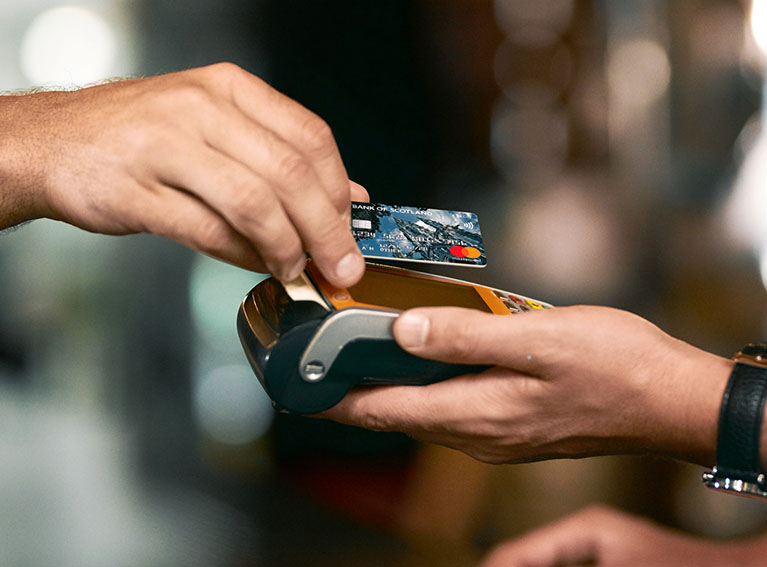
  • Once you’ve used your card for the first time with chip and PIN, you’re likely to be able to pay by contactless. This can be a quick and easy way to pay in-store.

    You just tap your card on the reader, instead of inserting the card into it. There’s no need to type in your PIN, either. Just like with chip and PIN, it checks that you have enough money in your account to pay.

Remember

You’ll need enough money in your account to pay for any purchases.

If you don’t, the transaction will fail.

Using your card online

Shopping websites and apps will offer you different ways to pay. This often includes paying by card. 

When you use your card online to pay, there’s no card reader. Instead, you’ll be prompted to give some details that are on your card. 

Be aware

Always check the website to make sure it’s safe, before you type in your card details.

 Want to find out how to do this? See our Get started with online safety and Ten tips for staying safe lessons.

You’ll need to type in: 

  • The 16-digit long card number on the card. 
  • The expiry date. 
  • The 3-digit code (sometimes called a CVV code or CVV2) that’s on or next to the signature strip.


Once you’ve entered these details, you may need to authorise the payment. This is one of the ways your bank is helping to keep your money safe – by making sure the person using your card details is really you. 


This may be:

A code sent by text message to your phone that you need to type in.

A prompt to open your banking app, if you have this.

More on this topic

Interested in shopping online and want to find out more?

Our Shop online lesson takes you step-by-step through the process and has tips to help you shop online safely.

Debit card safety tips

Chapter 2

How long it takes

3 minutes

Using your card safely

Here, we answer some common questions on how to use your debit card safely:

  • Most shops will use a reader. This lets you pay by card.


    To stay safe when you pay, be sure to:

    • Hold on to your card. Whoever serves you shouldn't have to take your card away. Never let it out of your sight.
    • Hide your PIN. Shield the keypad so no one can see what you enter. Never share your PIN with anyone.

    Idea

    Some people keep their credit and debit cards in a special case, called an RFID wallet. This protects the card from being scanned and its details being captured by thieves who are close by.

    If you use one of these, remember to take the card out of the wallet when you want to pay by contactless – they won’t work while they’re in it.

  • Absolutely. Your contactless card has the same anti-fraud protection as regular chip & PIN cards.

    From time to time, you’ll be asked to enter your PIN when making a payment. This is one of the ways your bank helps to protect your money, by making sure it’s really you using the card.

    You can set a contactless limit with your bank, or the retailer might have set a contactless payment limit in store. This means you’ll need to type in your PIN for payments over a certain amount.

    Be aware

    Before March 2026, the contactless limit was set to £100 for all banks. Now, banks can set their own limits.

    It’s good to check what your limit is, and if you’re comfortable with that.

  • No. The reader and card are set up to ensure that you will only be charged for one transaction.

  • No. Your card has to be extremely close to the reader – typically between two and four centimetres – and the retailer must have first entered the amount for you to approve.

  • Some banks are introducing an extra security step when you shop or bank online.


    To make sure it's really you, they can:

    • Text a passcode to your mobile phone.
    • Call your registered phone number.
    • Ask you to confirm the payment in your banking app, if you use this.

    Remember

    No one from your bank will ask you for your PIN number or ask you to move money to another account.

  • If your card is lost or stolen, your card has protection against money lost. Just make sure you let your bank know as soon as you realise your card is missing.

    Idea

    If you use a banking app, look for the ‘freeze card’ feature. You can use this if you lose your card or it’s stolen. Once it’s frozen, no one can use that card.

    If you find your card later, you can go back into the app to ‘un-freeze’ it.

  • Thinking you've experienced fraud can be scary, but there are plenty of resources available to help you.

    Contact Report Fraud

    They provide information and help for anyone who has, or thinks they have, been a victim of fraud.

    Use their online service or call them on 0300 123 2040. In Scotland, contact Police Scotland on 101.

    Let your bank know as soon as you can

    UK banks have dedicated teams to help you in this situation.

    If you don't know their number, call 159. You'll be asked who your bank is, then they'll put you straight through to your own bank's fraud team.

Want to learn more?

Related lessons

Shop online

View lesson

Get started with online safety

View lesson


Bank of Scotland Academy is committed to providing information in a way that is accessible and useful for our users. This information, however, is not in any way intended to amount to authority or advice on which reliance should be placed. You should seek professional advice as appropriate and required. Any sites, products or services named in this module are just examples of what's available. Bank of Scotland does not endorse the services they provide. The information in this module was last updated on 20th April 2026.